Persistent timers & reminders
Create, list, update, pause, resume, snooze or cancel supported timed items with explicit dates and timezones.
Timers, notes, tasks and reminders that can take the relevant page along.

Remind me about this page in twenty minutes.
‘Remind me’ is more useful when the reminder knows what you were looking at. Jarvis can keep a page or file reference with a local reminder, organize personal tasks and lists, and run separately configured recurring agent work.
See it in your dayCreate, list, update, pause, resume, snooze or cancel supported timed items with explicit dates and timezones.
Attach the actual browser page or editor file reference to a reminder, note or task.
Keep personal tasks, notes, list items and dated local events; complete or reopen the relevant records.
The task agent's scheduler supports configured one-time and recurring work with its own tool, model and delivery requirements.
Follow the thought from the first sentence to the result. Make the names, files, and timing your own.
You have found something important but cannot act on it right now.
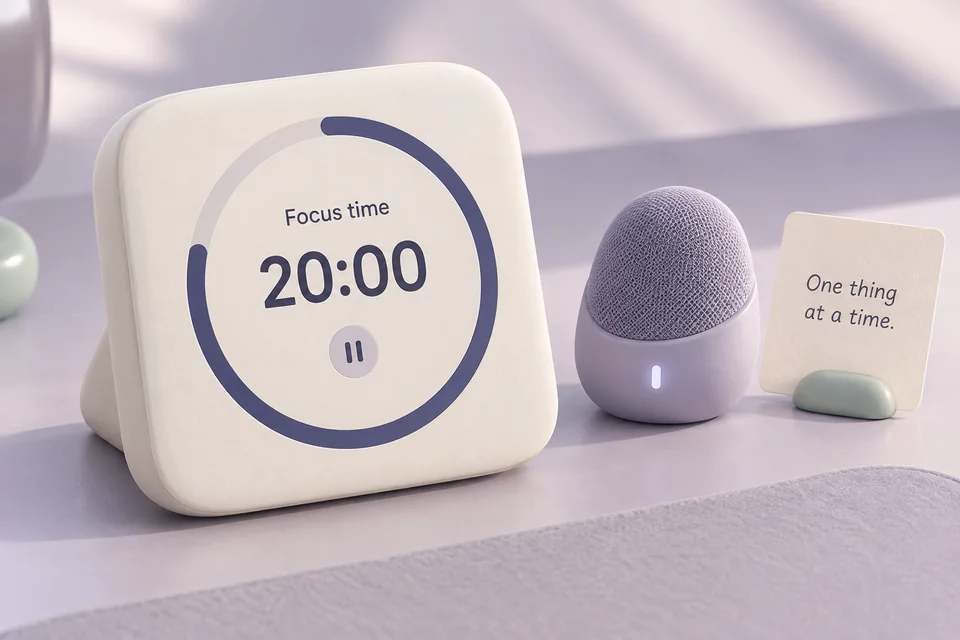
“Remind me about this page in twenty minutes.”
The connected browser supplies the actual page reference from your current context.
The organizer stores a reminder with a concrete due time and that reference.
When due, the service records the reminder and attempts the configured notification. The saved reference gives you a way back to the source.
A durable local reminder connected to the page. Inspect its time and reference if your request could mean more than one thing.
Several small tasks are scattered across your thoughts and you want a simple local list.

“Add ‘review the mobile screenshots’ to my Launch list.”
Jarvis records the exact list item and list name using the organizer.
Ask to list or search the items, then use the returned identity to update the right one.
Complete the item when the real work is done, or reopen it if you need to revisit the task.
A local work record you can retrieve and update. Adding it does not perform the work or invite a collaborator.
A recurring information task is useful enough to automate once its scope is clear.
“Every weekday morning, check these specified project sources and prepare a short update.”
Define the sources, timezone, schedule and desired output with the task agent.
The agent can create a recurring scheduler job using available tools and the configured provider. Inspect the stored schedule before relying on it.
Keep the scheduler and required services running. Review actual run results, and pause or delete the job when its purpose changes.
A configured recurring task, subject to source access, model availability and local runtime uptime. This is distinct from a simple reminder notification.
Timers and reminders are stored independently of the voice session. Windows and the service must be running to deliver at the expected time.
The notification companion and Windows notification settings affect popup delivery; activity records remain inspectable.
uv run jarvis desktop setup-notificationsReview local reminder and job status. Recurring agent work additionally needs its scheduler, model credentials and task-specific tools.
uv run jarvis desktop activityOrganizer events are local records. They are not Google Calendar events or invitations to other people.
A stopped or sleeping computer cannot deliver on time. Restarted services report overdue reminders and interrupted jobs rather than claiming that they ran while offline.
Workflow images are generated illustrations, not screenshots of a connected assistant. Availability depends on your configured tools and providers.

Explore a codebase, investigate a failure, research sources and create useful artifacts.

Resolve a project and recipient, prepare the actual files, and inspect delivery receipts.

Use supported Windows controls, inspect visible context and work with connected applications.